









**IF YOU ARE UNABLE TO DOWNLOAD THE APK, CONNECTING THROUGH A VPN MIGHT HELP**
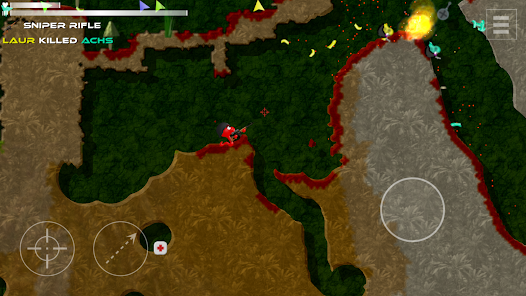
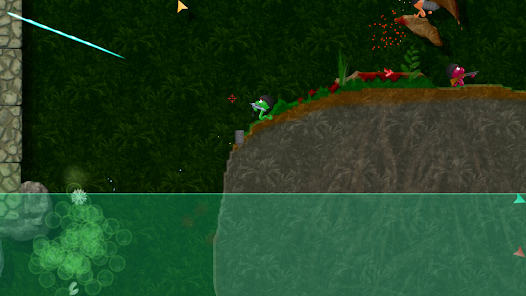
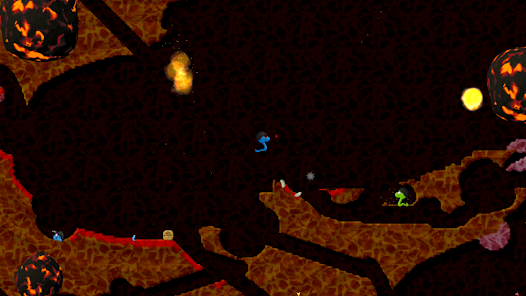
Annelids: Online battle is a worm-based battle game where you control an armed worm and fight other worms in an underground world that you can dig through and destroy. It brings back the feel of old classic worm-shooting games, but with online multiplayer, missions, and lots of weapons.
In this article, you will learn what Annelids: Online battle is, how it works, how to download and install it safely, how to use it as a beginner, its real advantages and disadvantages, whether it is safe to use, how it compares with other similar games, common problems and their solutions, and answers to the most common questions people ask about this app.

What is Annelids: Online Battle?
Annelids: Online battle is an action and strategy game for Android where players control worms fighting each other inside a fully destructible underground map. The game is developed by an independent developer named Michal Srb.
The app solves a simple problem: players want a lighthearted, skill-based multiplayer shooter that does not need a powerful phone or a complicated setup. Instead of realistic soldiers or vehicles, the game uses worms as characters, which makes it feel fun and casual rather than intense.
Who should use this app:
- People who enjoy classic “worms” style artillery games
- Casual gamers who want quick multiplayer matches
- Players who like customizing game modes and playing with friends
- Anyone who wants an offline game with AI opponents when there is no internet
Main use cases include quick multiplayer matches with friends, solo mission-based play, and casual online battles during free time.
Main Features of Annelids: Online Battle
1. Destructible Underground Maps
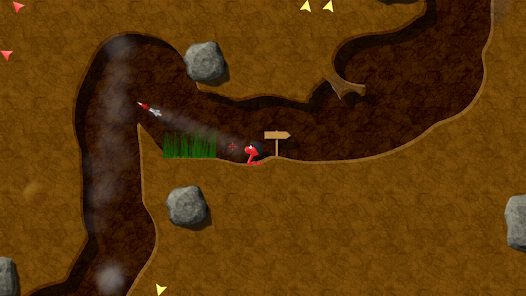
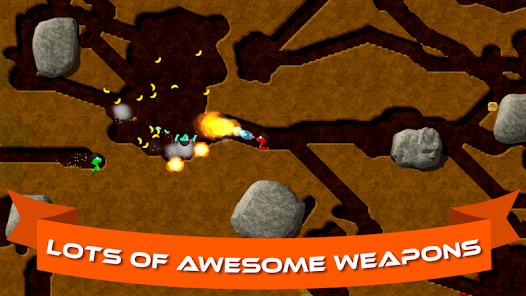
Every map in the game can be dug through and destroyed. This means no two matches ever play out exactly the same way. For example, you can dig a tunnel to sneak behind an enemy worm and surprise them instead of walking into the open.
2. Multiple Game Modes
The game offers Deathmatch, Team Deathmatch, Capture the Flag, Conquest, King of the Hill, and more. This variety keeps the game interesting because you are not stuck playing the same style of match every time. If you enjoy teamwork, Team Deathmatch is useful; if you like solo skill-based play, Deathmatch is a better fit.
3. Offline Single Player with AI
You do not always need the internet to play. There are 68 missions and 17 maps that you can complete offline against computer-controlled worms. This is useful when you are traveling or your internet connection is weak.
4. Online and Bluetooth Multiplayer
Up to 6 players can battle at once, either online or through Bluetooth. This is helpful if you want to play with friends sitting near you without using mobile data.
5. Wide Weapon Selection
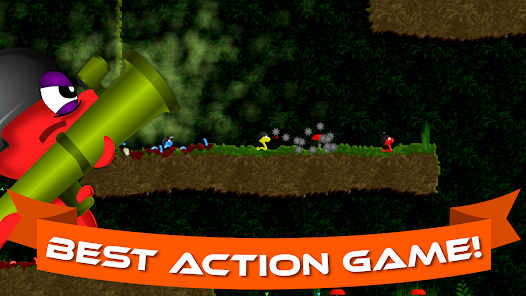
There are 33 unique weapons, plus 9 secret ones to discover. Each weapon behaves differently, so learning how they work is part of the fun. For example, some weapons dig tunnels, while others cause big explosions that reshape the map.
6. Gamepad Support
The game supports MOGA and other Bluetooth gamepads. This is useful for players who find touchscreen controls less precise and prefer physical buttons.
How Does Annelids: Online Battle Work?
Here is a simple step-by-step explanation of how the game works:
Step 1: Download and install the app from the Google Play Store.
Step 2: Open the app. You do not need to create a detailed profile to start playing.
Step 3: Choose a game mode from the main menu, such as missions, custom matches, or online battles.
Step 4: Control your worm using on-screen buttons to move, aim, and shoot.
Step 5: Use weapons and dig through the map to defeat other worms and complete objectives.
Step 6: Earn progress by finishing missions or winning multiplayer matches.
How to Download and Install Annelids: Online Battle on Android
Follow these steps to download Annelids: Online battle safely:
- Open the Google Play Store on your Android phone.
- Search for “Annelids: Online battle.”
- Check that the developer name shown is “Michal Srb,” which is the official developer.
- Tap Install and wait for the download to finish.
- Once installed, tap Open to start the game.
- Allow only the permissions that are needed for the game to run properly.
Safety tips:
- Avoid downloading the APK file from unknown third-party websites, since these copies may contain unwanted or unsafe changes.
- Always check app permissions before allowing access, and avoid granting anything that does not seem related to gameplay.
- Stick to the official Google Play Store version whenever possible.
How to Use Annelids: Online Battle (Beginner Guide)
If you are opening the app for the first time, here is what to expect:
- First-time setup: The app opens directly to the main menu. There is no long sign-up process required to start playing.
- Main dashboard: From the main screen, you can choose between missions (offline single-player), custom games, and online multiplayer.
- Important buttons: Look for on-screen movement controls, a jump or dig option, and weapon selection buttons. These are usually placed at the bottom of the screen for easy thumb access.
- Common actions: New players usually start with a few beginner missions to get comfortable with movement and shooting before jumping into online matches against real players.
A good tip for beginners is to try a few offline missions first. This helps you understand how digging and weapons work before playing against other people online.
Advantages of Annelids: Online Battle
- Easy to use: The controls are simple, so new players can start playing within minutes.
- Free to play: The core game does not require payment to enjoy most features.
- Good variety: Multiple game modes and 33+ weapons keep the game from feeling repetitive.
- Works offline too: The mission mode lets you play even without an internet connection.
- Fun with friends: Bluetooth and online multiplayer for up to 6 players make it a good social game.
- Light on storage: The app size is relatively small compared to many modern mobile games.
Disadvantages or Limitations
To be fair and honest, the app also has some downsides:
- Contains ads: Since the app is free, it shows advertisements, which can interrupt gameplay for some users.
- Digital purchases: Some items or weapons may be available through optional in-app purchases.
- Occasional bugs: Some users have reported display issues, such as text or health bars not showing correctly on certain devices.
- Data collection: The app shares and collects some personal data, which privacy-conscious users should be aware of.
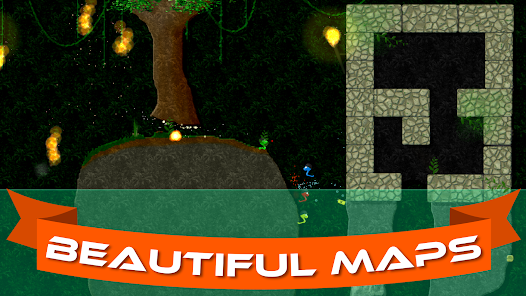
- Dated visual style: The graphics are simple and casual rather than modern 3D visuals, which may not appeal to everyone.
- Menu navigation: A few users have mentioned that returning to the main menu after finishing a mission is not always straightforward.
Is Annelids: Online Battle Safe to Use?
Annelids: Online battle is developed and maintained by an individual developer, Michal Srb, who actively responds to user reviews on the Google Play Store, which is a positive sign of ongoing support.
Regarding permissions, the app requests access related to gameplay features such as multiplayer connectivity. According to the app’s data safety information on the Google Play Store, it may collect personal information and share some data with third parties, and data is encrypted in transit. Users can also request that their data be deleted.
For most casual users, the app is reasonably safe to use, especially when downloaded directly from the Google Play Store. Users who are more cautious about data privacy should review the app’s privacy policy before playing, which is linked on its official Play Store page.
Annelids: Online Battle vs Alternatives
| Feature | Annelids: Online Battle | BombSquad | Worms Zone.io |
| Core Gameplay | Worm battles in destructible maps | Multiplayer party battles | Snake-style worm growth game |
| Multiplayer | Up to 6 players, online & Bluetooth | Online and local multiplayer | Online multiplayer |
| Offline Mode | Yes, with AI missions | Yes | Limited |
| Weapons/Items | 33+ weapons, 9 secret | Various party-style weapons | Power-ups, no traditional weapons |
| Price | Free with ads | Free with optional purchases | Free with ads |
| Best For | Fans of classic worm shooters | Party-style chaotic multiplayer fun | Casual, quick snake-style matches |
Common Problems and Solutions
Problem: App not opening Solution: Restart your phone and make sure the app is updated to the latest version from the Play Store.
Problem: App crashing during play Solution: Close other background apps to free up memory, and check that your device meets the app’s requirements.
Problem: Login or multiplayer connection issues Solution: Check your internet connection and try switching between Wi-Fi and mobile data.
Problem: Slow performance Solution: Lower any in-game graphics settings if available, and clear the app’s cache from your phone’s settings.
Problem: Installation issues Solution: Make sure you have enough free storage space and are downloading from the official Google Play Store.
Problem: Permission problems Solution: Go to your phone’s app settings and manually review or reset the permissions granted to the app.
Frequently Asked Questions (FAQ)
Is Annelids: Online battle free?
Yes, the app is free to download and play, but it contains ads and may offer optional digital purchases.
Is Annelids: Online battle safe?
It is generally considered safe when downloaded from the official Google Play Store, though like many free apps, it does collect and share some user data.
How do I install Annelids: Online battle?
You can install it directly from the Google Play Store by searching for the app name and tapping Install.
Can I use Annelids: Online battle without an account?
Yes, you can start playing offline missions without needing to sign in immediately.
Can I play Annelids: Online battle offline?
Yes, the game offers 68 offline missions across 17 maps that can be played without an internet connection.
Final Verdict
Annelids: Online battle is a solid choice for anyone who enjoys casual, skill-based multiplayer games with a nostalgic worm-battle theme. Its combination of destructible maps, multiple game modes, and offline missions makes it flexible enough for both social play and solo entertainment.
Players who want cutting-edge 3D graphics or a completely ad-free experience may find this app less appealing. However, for users looking for a lightweight, fun, and genuinely engaging multiplayer game that does not demand a high-end phone, Annelids: Online battle is worth trying.
Overall, this app delivers what it promises: simple, destructible, worm-based battles that are easy to pick up and fun to keep playing.

Image Credit: Google Play Store
**IF YOU ARE UNABLE TO DOWNLOAD THE APK, CONNECTING THROUGH A VPN MIGHT HELP**

All Version